
Meeting minutes template for teams
Created by:

Set meeting agendas, take notes, and share action items with your team.
Categories
- Project Management
- Marketing & Sales
- Recommended
- Page Template
KEY FEATURES
Note Taking
Task Planning
Documentation
We've all left meetings thinking, "There go X minutes of my life I can't get back." When this happens, it's important to evaluate why the meeting wasn't effective. It may be because the meeting lacked a clear goal or the necessary participants.
Preventing these issues is crucial for driving action within your company. One way to resolve ineffective meetings is to start using a meeting minutes template, a structured document that records progress and meeting highlights.
We've compiled a meeting minutes template to help you and your team better prepare for meetings. It includes all the necessary elements for an effective meeting: attendees, agenda, discussion topics, and action items.
What is a meeting minutes template?
Meeting minutes are a documented summary of what happened during a meeting. They capture the topics discussed, the decisions made, and the action items assigned, so everyone walks away with the same understanding.
Without them, important details get lost or misremembered, and teams end up revisiting the same conversations again and again. A solid meeting minutes template keeps your documentation consistent and makes it easy for anyone — whether they were in the room or not — to get up to speed quickly.
What should a meeting minutes template include?
A good template for meeting minutes covers the essentials that make your notes actually useful after the meeting ends. Here are the components every meeting minutes template should have:
Date and time: This anchors the notes so you can reference them later in context.
List of attendees: Knowing who was present helps clarify who contributed to decisions and who needs to be brought up to speed afterward.
Agenda items: These give the meeting structure and make it easier to organize your notes by topic.
Discussion summaries: Brief notes on what was talked about under each agenda item prevent important context from slipping through the cracks.
Decisions made: Documenting what was decided — and why — removes ambiguity down the line.
Action items with owners and deadlines: Assigning a specific person and a due date to each task keeps work moving forward. Without clear ownership and due dates, tasks tend to stall.
When every meeting follows the same format, your team builds a reliable archive they can actually use. It also makes knowledge sharing across departments much smoother since everyone is working from the same structure.
When should you use a meeting minutes template?
Meeting minutes aren't just for formal board meetings. They're useful in a wide range of scenarios where decisions are being made, and people need to stay aligned. Weekly team syncs, project kickoffs, client calls, cross-functional planning sessions, and leadership reviews all benefit from documented notes. Anytime a meeting involves assigning work, agreeing on next steps, or making a decision that affects others, a meeting minutes template gives you a reliable way to capture it.
Even quick check-ins can benefit from a few lines of documentation, especially when they involve updates that other team members need to see. The more consistently you document meetings, the less time you spend chasing down information afterward.
What are the benefits of taking meeting minutes?
Captures key decisions
Meeting minutes capture critical outcomes for future reference, reducing the risk of miscommunication later. When team members can refer back to documented decisions, there's less chance of conflicting interpretations or forgotten agreements. This becomes especially valuable during strategic planning sessions, where decisions impact the long-term direction. Quick decision-making is easier when you have documented context from previous meetings.
For teams that meet weekly, consider using our weekly meeting notes template to maintain consistent documentation of ongoing projects and decisions.
Clarifies responsibilities
Well-written meeting minutes help assign and track task ownership by clearly documenting who committed to what deliverables. This clarity supports follow-through because team members have a written record of their commitments. When responsibilities are documented, monitoring progress and providing support where needed becomes much easier.
Tracks progress
Meeting minutes are a running log of team progress, enhancing project visibility across your organization. You can review previous meeting minutes to see how decisions evolved, obstacles were encountered, and solutions were developed. This historical perspective proves invaluable during project collaboration efforts.
Supports accountability
Documented action items encourage people to deliver on their commitments because there's a clear record of what was promised and when. This transparency within teams creates a positive pressure that helps ensure follow-through. When everyone knows their tasks are documented, they're more likely to prioritize completion.
Provides a reference
Meeting minutes are a reliable record for those who missed the meeting, helping them stay informed about important decisions and upcoming deadlines. They're also valuable when revisiting decisions or timelines weeks or months later. This reference point prevents teams from rehashing old discussions or questioning previously agreed-upon directions.
How to effectively write meeting minutes
- 1
Know the meeting agenda items
Before sending out the invitation, take a moment to craft a meeting agenda template. This ensures you have all the necessary elements to make the meeting productive for yourself and your attendees. Whether you're planning brainstorming sessions or status updates, having a clear agenda keeps everyone focused.
Be sure to add the agenda items to the meeting minutes to provide structure and clarity before the meeting. When planning agenda items, consider your meeting cadence.
- 2
Put some prep in your step before the meeting
Include the meeting date, tag participants, and list discussion topics with their respective owners in the table. Similar to how you handle contracts, instruction pages, and any content longer than a tweet, notify attendees if there are materials requiring mandatory pre-reading. Additionally, add informational links that attendees may find helpful, such as past meeting minutes.
This preparation step is crucial when working with cross-functional teams where participants might not be familiar with all the discussion topics or background context.
- 3
Share meeting notes now, save countless minutes later
Once someone is tagged on the meeting minutes page, they will be notified in Confluence and via email so they can review your notes. Avoid search-induced headaches by adding the notes page to the meeting invite.
If data is your lifeline, you can view the analytics for the meeting minutes page to see who has viewed it. If someone still has it on their to-do list, you can send them a friendly notice to review the page before the meeting.
- 4
Time-box discussion items and designate a note-taker
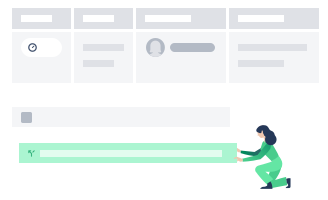
Make your meetings effective by maintaining structure and purpose. If you don’t plan on taking notes yourself, assign a team member to take notes during the meeting. Task them with recording key discussions, action items, and decisions.
As the meeting organizer, you must ensure discussions stay on track by implementing time-boxes. Don't hesitate to table non-relevant topics for discussion at the next meeting.
Once you've covered everything on your agenda, review key takeaways, decide on the next steps, and set deadlines for essential action items. You may also decide when the next meeting date should take place. For a more structured wrap-up, try incorporating meeting reflections as a regular practice.
- 5
Organize in a way that works for you
The best meeting minutes template is one that your team will actually use, so organize your notes in a way that feels intuitive for everyone involved. Some teams prefer a chronological format that follows the meeting flow, while others group notes by project or topic. Whatever structure you choose, keep it consistent so participants always know where to find what they need. Store your meeting minutes in a shared, centralized location — not buried in someone’s inbox — so the whole team has access when they need it.
Take better meeting minutes with Confluence
Confluence makes it simple to capture, organize, and share your meeting minutes template all in one place. With real-time collaborative editing, your team can take notes together during the meeting, assign action items on the spot, and make sure nothing gets missed. Once the meeting wraps, everyone already has access, so there are no extra steps to distribute notes or chase people down. You can also pull in AI meeting notes to streamline documentation even further.
Built for team collaboration, Confluence connects your meeting minutes to the projects and pages they relate to, so context is always a click away. Over time, consistently documented meetings become the foundation of a stronger collaborative culture — one where decisions are transparent, accountability is shared, and no one is left out of the loop.
Related templates

Partners
1 on 1 meeting template
Run 1-on-1 meetings and maintain productive working relationships.

Business Strategy
4Ls retrospective template
Use this template to conduct a 4Ls retrospective with your team.

Business Strategy
5 whys analysis template
Use this template to conduct a 5 whys analysis and discover the sources of team problems.
Explore more templates to supercharge teamwork
Empower everyone, on every team. Build, connect, and deliver your biggest ideas seamlessly across Atlassian apps using our complete collection of ready-made workflows.