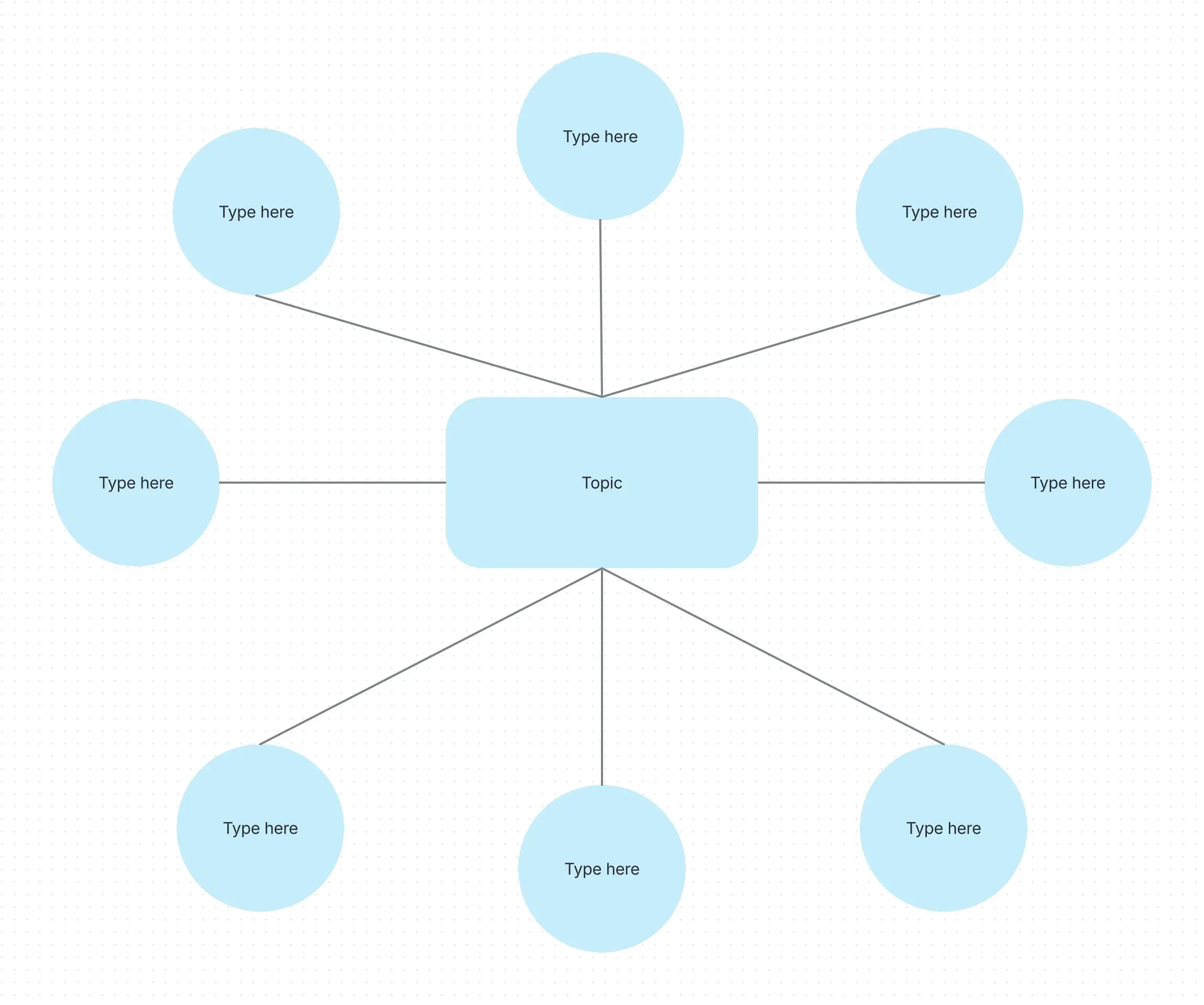
Bubble map template
Created by:

Organize ideas, compare concepts, and collaborate in real-time with this simple, flexible diagram
Categories
- Design
- Project Management
- Product Management
- Whiteboard Template
KEY FEATURES
Ideation
Team Collaboration
Documentation
Teamwork depends on centering your group’s thinking and maintaining alignment during planning and decision-making.
When mapping out ideas or comparing concepts, much of the process hinges on how each proposal is presented. Strong visual structure makes it easier to evaluate overlaps, identify differences, and steer discussions toward strategic outcomes.
A bubble map template provides a practical framework to anchor multiple ideas around a single concept or comparison point, helping teams think clearly and collaborate more effectively.
What is a bubble map?
A bubble map is a creative and intuitive version of a concept map. It is used to explore, expand, and visually represent thoughts around a central theme. It begins with a single concept, typically a noun or key idea, placed in the center of the map, and uses surrounding bubbles to capture related attributes, supporting points, or associated terms.
These supporting bubbles are linked to the core idea with lines or connectors, illustrating relationships and helping users see how ideas are interconnected.
This design makes it easier to break down complex topics, identify patterns, and clarify thinking, especially when brainstorming, preparing text, or conducting problem-solving exercises.
Bubble maps promote critical thinking by encouraging users to generate multiple perspectives around a topic. They're especially effective in educational and collaborative settings, where teams or students can visually track real-time contributions.
What is a bubble map template?
A bubble map template is a ready-made framework that simplifies organizing ideas within a bubble map layout.
Instead of building the diagram from scratch, you can use a template with predefined shapes and connectors to jumpstart your planning session. This saves time and ensures a clear and consistent structure for mapping your thoughts in collaborative work or a whiteboard strategy.
Templates also offer customization options, allowing you to adjust colors, labels, and layout styles to match your topic or workflow better.
What is a double bubble map?
A double bubble map template builds on the basic concept of a bubble map by introducing a side-by-side comparison between two key ideas.
It uses overlapping bubbles to highlight similarities between the concepts, while the non-overlapping bubbles remain separate to indicate differences.
This format is useful for evaluating alternatives, exploring the pros and cons, or analyzing the relationships between ideas. You can think of it as the bubble map version of a Venn diagram.
When to use a bubble map
A bubble map is well-suited for early-stage brainstorming, where the goal is to capture as many connected thoughts as possible without needing to arrange them in a strict order.
Here are three typical situations where this format proves helpful:
During project kickoff sessions, teams can use bubble maps to explore goals, risks, and dependencies.
During strategic planning, product managers can use bubble maps to outline strategies, plan campaigns, or facilitate group discussions.
During creative planning sessions, teams can use bubble maps to brainstorm ideas that remain aligned with the central theme, without sacrificing creative flexibility.
Whether you're solving a problem, preparing a presentation, or mapping out a new initiative, a bubble map provides a visual anchor for deeper thinking and cross-functional collaboration.
Benefits
Clarifies your main idea
A bubble map helps you develop ideas without losing sight of your original purpose because your core topic is always front and center. Its defined visual structure is beneficial when explaining complex topics or aligning a team around a shared goal, providing immediate clarity.
Improves focus
By visually linking every idea back to the main concept, a bubble map naturally helps you filter out distractions. This allows you to concentrate on how each idea connects, making it easier to spot what's relevant, discard tangents, and maintain a consistent flow of thoughts from start to finish.
Facilitates brainstorming
The open-ended, non-linear layout of a bubble map makes capturing a wide range of ideas effortless. Its visual format allows you to spontaneously spot emerging themes, identify gaps in thinking, or uncover new directions that might not be obvious in a traditional written list. This enhances comprehension, fostering creativity and more effective communication during ideation sessions.
Enhances decision-making
A bubble map helps you weigh relevant variables, benefits, and potential drawbacks in one place. Seeing these elements side by side allows for faster comparisons, more informed knowledge sharing among team members, and ultimately, better-informed choices that drive project success.
Supports collaboration
Bubble maps make it easier for multiple contributors and stakeholders to work together, whether in real-time or asynchronously. Team members can add their thoughts directly to the map, creating a transparent and interactive record of group input. This interactivity encourages dynamic project collaboration as the discussion evolves.
How to use the bubble map template
- 1
Identify the main idea
Start by defining the core concept you want to explore. Place this topic in the central bubble, using clear and specific wording that sets the direction for the rest of the map. This main idea should be broad enough to support multiple connections without being too vague.
- 2
Add related ideas
From the center, draw lines outward to new bubbles that represent ideas directly connected to your main topic. These could be characteristics, related themes, supporting facts, or any concepts that help explain or expand the central idea. Fill each related bubble with simple, concise ideas to maintain clarity and focus.
- 3
Interconnect ideas
If appropriate, draw lines to connect outer bubbles, revealing secondary relationships or overlapping themes. This web of connections helps visualize the structure and validity of your thinking.
- 4
Expand on key ideas
If some ideas require further explanation, branch out again with smaller sub-bubbles. These can hold specific examples, clarifying notes, or additional layers of detail. This step allows you to deepen your analysis and capture nuances that support the broader structure.
- 5
Add details and refine
Customize your bubble map to make it easier to understand and more shareable. Use colors to group similar ideas, icons to draw attention to key points, or labels to categorize related bubbles. Refining the layout helps your audience quickly grasp the relationships and makes your map more visually engaging.
- 6
Review and share
Once your map is complete, take a moment to scan for missing elements or duplicated ideas. Check for logical flow and clarity. Now you can share it with collaborators, teammates, or stakeholders as needed.
Create a bubble map in Confluence
A collaborative workspace platform like Confluence helps teams create, organize, and share content through methods such as bubble maps.
Using bubble maps in Confluence is a breeze thanks to its online whiteboard functionality and ready-to-use templates. Use the bubble chart template to quickly lay out your central idea and related concepts. There’s no need to build the diagram manually, enabling users to jump straight into organizing their thoughts or collaborating with others.
Confluence’s online whiteboards offer a dynamic, interactive space where teams can brainstorm ideas in real-time. There are endless possibilities for drawing connections, adding sticky notes, and mapping out concepts with shapes and lines.
You can easily turn whiteboard items into actionable tasks in the form of Confluence pages or Jira issues. In effect, you transition smoothly from ideation to execution. With built-in tools like visual stamps, timers, and Smart Links, Confluence makes it easy to embed relevant information and reference other work. This way, the entire bubble map experience is connected and productive.
Explore more templates to supercharge teamwork
Empower everyone, on every team. Build, connect, and deliver your biggest ideas seamlessly across Atlassian apps using our complete collection of ready-made workflows.