
Requirements traceability matrix template
Link project requirements to tasks, test cases, and deliverables throughout the project lifecycle.
BEST FOR
Operations
KEY FEATURES
Agile
Agile Project Management
Software testing
What is a requirements traceability matrix template?
A requirements traceability matrix gives you an organized way to map relationships between requirements and the work needed to fulfill them. It allows teams to maintain clear lines of sight from initial business needs through design, development, testing, and deployment.
The template lets you quickly identify which requirements are complete, in progress, and any project dependencies that might cause delays. This framework enhances accountability and facilitates clear communication of status to stakeholders to understand project health.
Most importantly, it reduces the risk that critical requirements get overlooked when you’re managing multiple moving parts.
Importance of a requirements traceability matrix template
A requirements traceability matrix template is critical for team leads or project owners to ensure every requirement is tracked from start to finish. It not only reduces missed deliverables, this matrix smoothly centralizes work items and testing for developers, testers, and stakeholders.
With real-time visibility, teams spot bottlenecks early and adjust before final testing or delivery. So, when should you use this template?
Requirements traceability matrix formats are ideal for complex projects with multiple requirements, dependencies, and stakeholders. It’s also beneficial when you need to monitor progress across different work streams and maintain accountability and compliance.
If you’re a project manager maintaining oversight across all requirements, a business analyst gathering and documenting requirements, or a product owner managing backlogs, this matrix is a must-have in your arsenal.
What does the requirements traceability matrix template include?
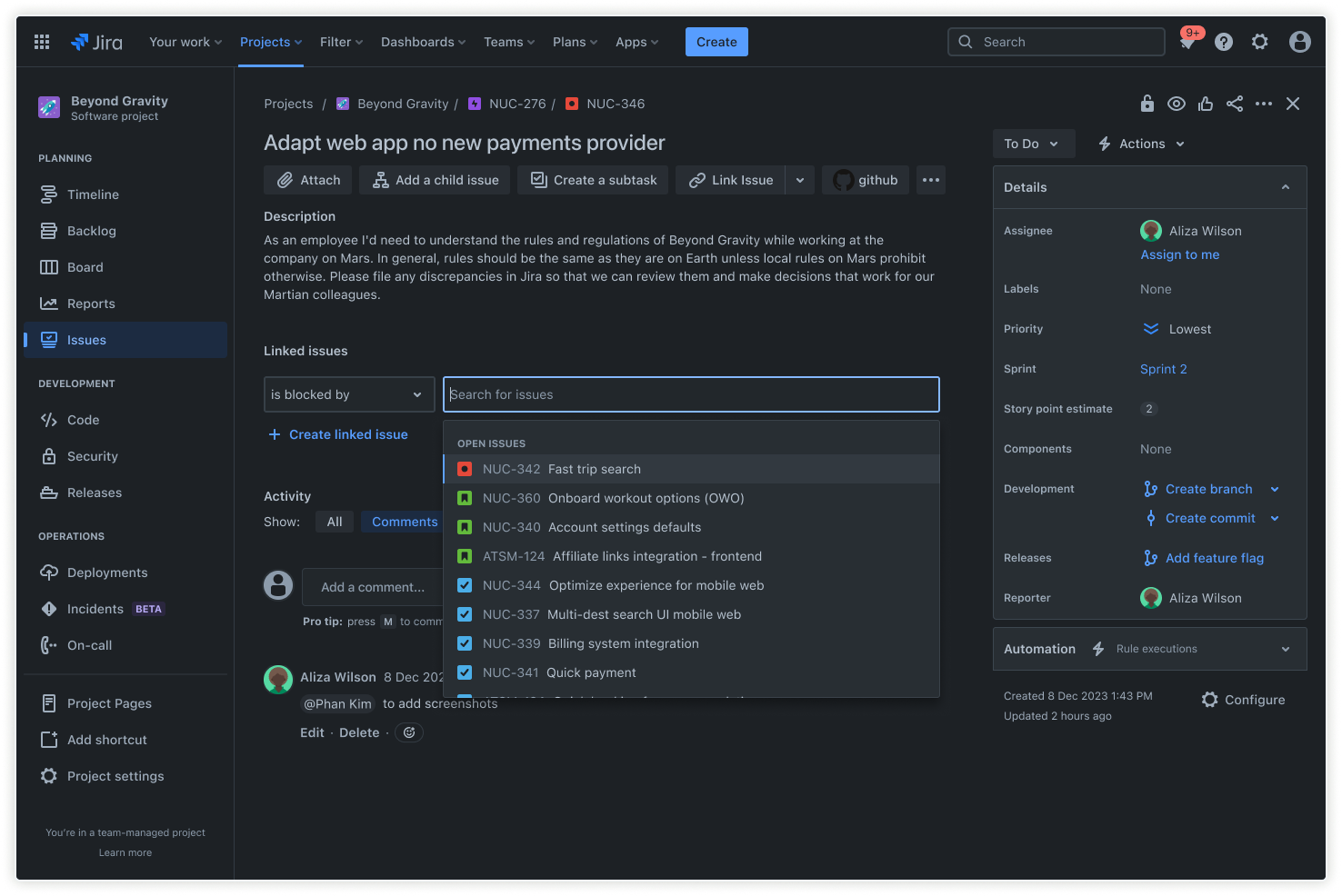
Linking work items
Connect each requirement directly to tasks, user stories, or test cases to establish clear dependencies. Let your team navigate between high-level requirements and specific work items with ease. When a requirement changes or needs clarification, identify all affected work items to update them accordingly.
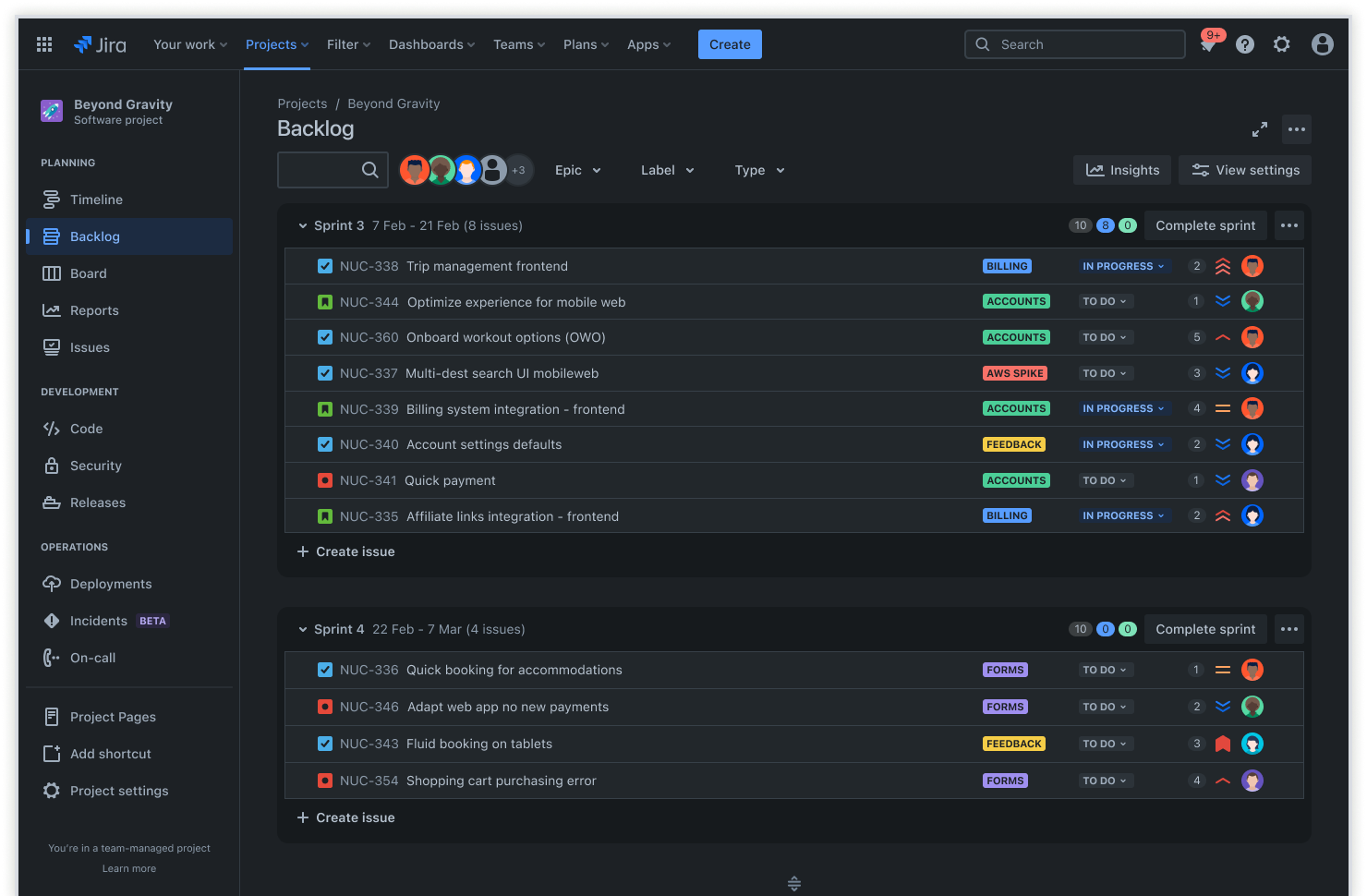
Backlog
Store all requirements in a central backlog where you can prioritize them based on business value, urgency, and dependencies. It’s simple to plan sprints and allocate work across project phases with Backlog views—allowing teams to pull requirements and give the highest-priority items immediate attention.
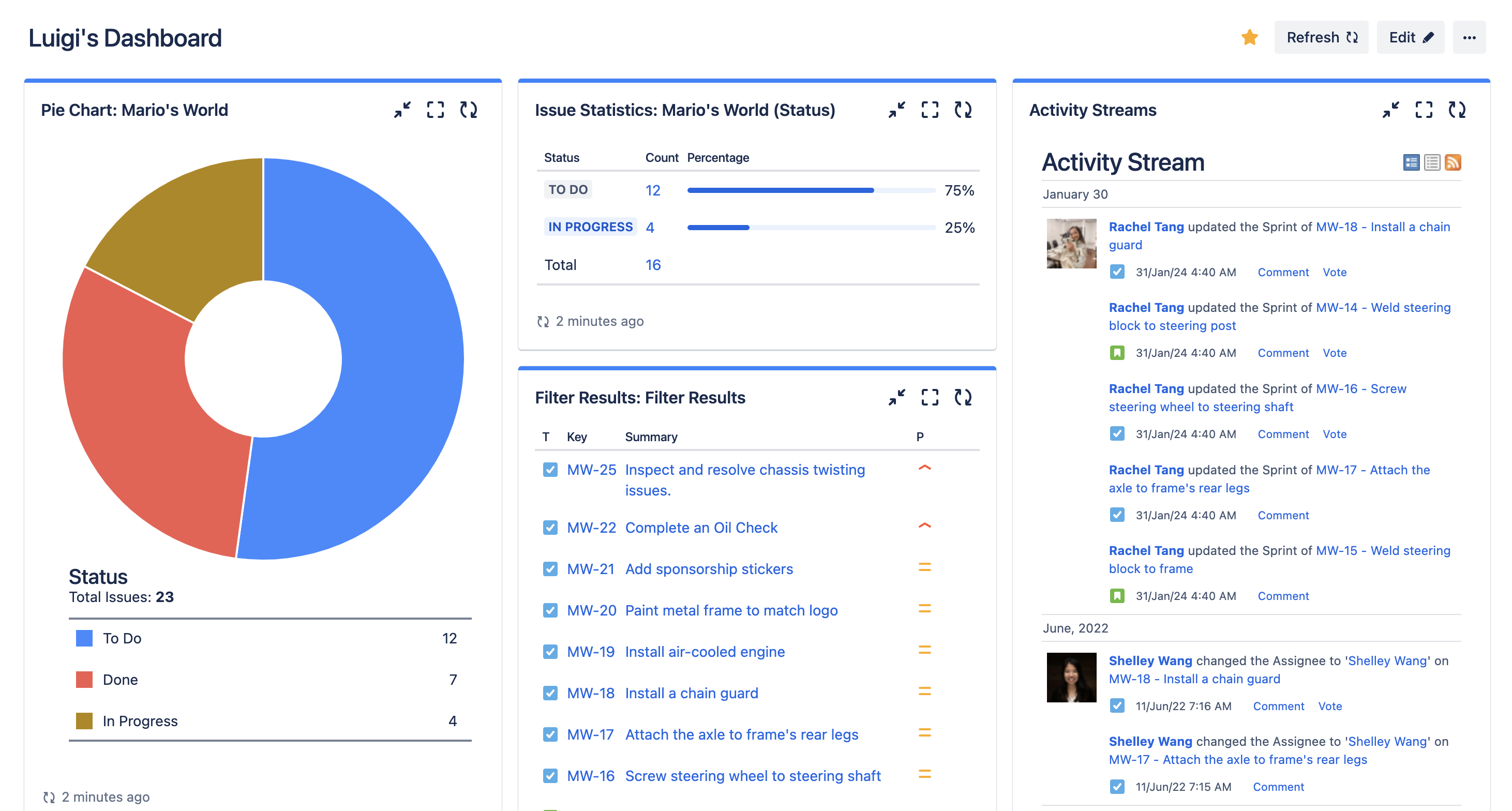
Dashboard
Build custom dashboards that visualize requirement status, completion rates, and potential blockers. Instead of manually compiling status reports, your dashboard view automatically updates as work progresses. Track critical metrics, so everyone from team leads to individual contributors see requirements coverage, testing completion, or time to delivery.
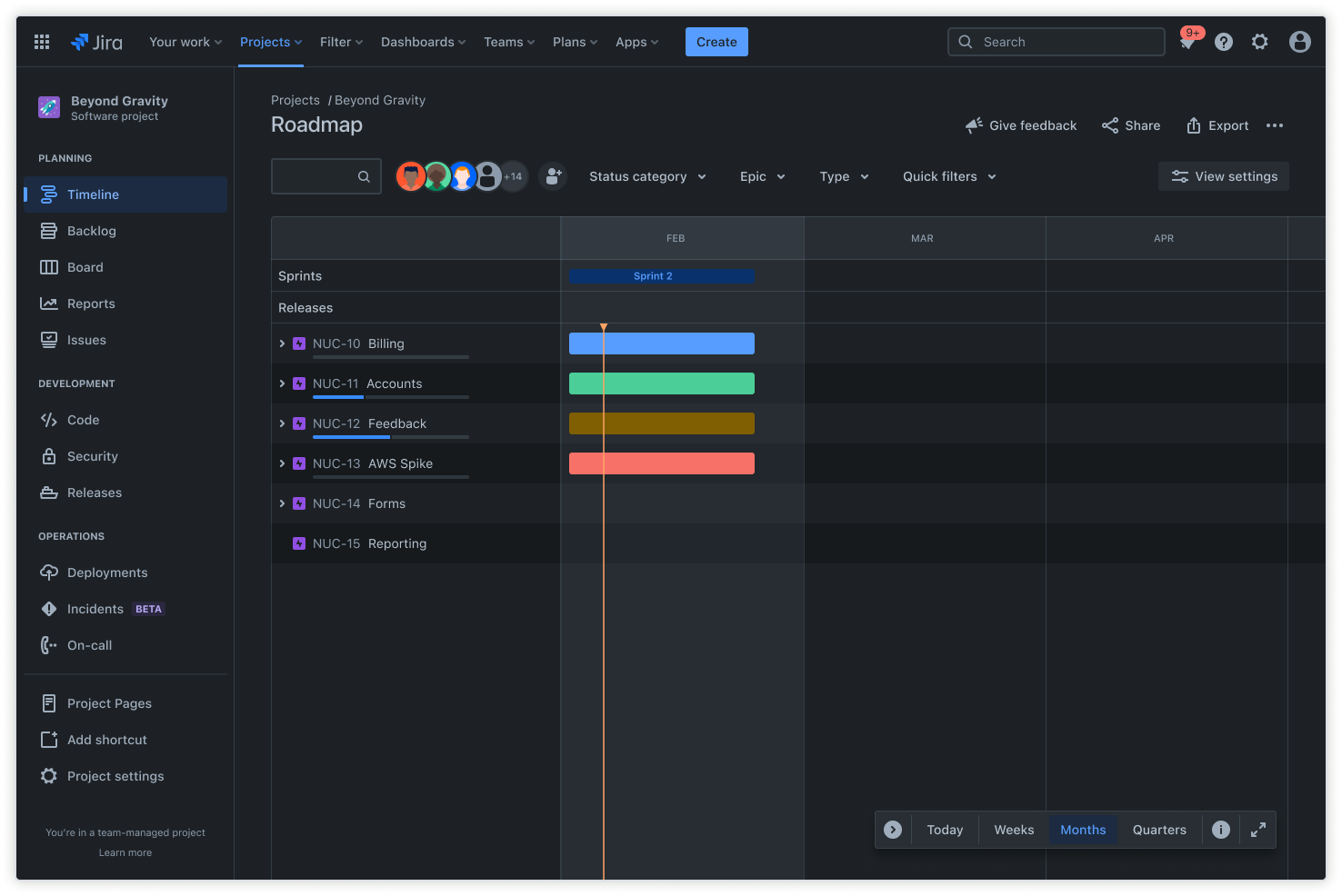
Timeline
Map requirements on a project timeline or roadmap using Jira’s basic roadmap or advanced Plans features. This visual representation allows teams to understand how requirements relate to milestones. Easily identify dependencies that could impact delivery and communicate realistic deadlines to coordinate work across teams.
How to get started with the requirements traceability matrix template
- 1
Choose a project in Jira for your requirements
Decide whether Scrum or Kanban better matches your team’s workflow and project management style. Scrum works well for teams that plan work in regular iterations, while Kanban suits continuous flow processes.
Set up the project to serve as your single source of truth for all requirements and related work items. This centralization prevents the confusion that comes from managing requirements across multiple tools or platforms.
- 2
Define and categorize requirements for easy traceability
Create individual issues for every requirement, including detailed descriptions, priority levels, and specific acceptance criteria. The more detail you provide upfront, the easier it becomes to track tasks and verify completion later.
This is where you create unique categories, labels, or custom fields to differentiate between functional, technical, or compliance requirements.
- 3
Link requirements to related work items
Use Jira’s issue linking to connect each requirement to the tasks, user stories, or test cases that fulfill it. These links create the traceability you need to understand how work items relate to broader project goals.
Make sure dependencies are visible and documented so teams can plan their work around what needs to happen first.
- 4
Plan and prioritize requirements using the backlog and timeline
Use the backlog view in Jira to sequence requirements for upcoming sprints or project phases. Consider dependencies, team capacity, and business priorities when deciding what to tackle first.
Map your requirements on a timeline or roadmap to give stakeholders a visual understanding of your project schedule. This combination of backlog organization and timeline visualization ensures everyone understands both what’s being built and when it will be ready.
- 5
Track progress with dashboards and reports
Build dashboards that show requirement completion rates, open dependencies, and any metrics critical to your project’s success. Configure these dashboards to give different stakeholders the information they need.
Use burndown charts, velocity charts, and issue analysis to understand your team’s progress and capacity. Regular monitoring helps you stay on top of project challenges and address issues while there’s still time to course-correct.
When requirements tracking becomes part of your regular Agile workflow, you’ll find that project planning and execution become more predictable and less stressful.
Ready to use this free template?
Explore more templates to supercharge teamwork
Empower everyone, on every team. Build, connect, and deliver your biggest ideas seamlessly across Atlassian apps using our complete collection of ready-made workflows.